
Our blog
The latest news from our team at Clever Dynamics

Fed up with scattered documents? Find your documents fast with Copilot in Clever Document Links
Locating your attachments in Clever Documents Links may previously have been less straightforward. But with Microsoft Copilot now integrated into Document Links, finding your attachments has become easier than ever!
What is Clever Document Links?
Clever Document Links is an app for Business Central that lets you attach and find documents right against the records you’re working with - things like items, sales orders, or journals. Instead of hunting around in SharePoint or folders, everything stays linked to the place you need it, with options like attributes and metadata to keep things tidy and easy to filter. It’s designed to make storing and finding your documents feel simple and integrated rather than a separate chore or logistical nightmare.
With Microsoft Copilot built into Clever Document Links, you can quickly describe what you're looking for in plain language and it helps you find the right documents without needing exact names or details.
So, how do I search in Business Central using Clever Document Links?
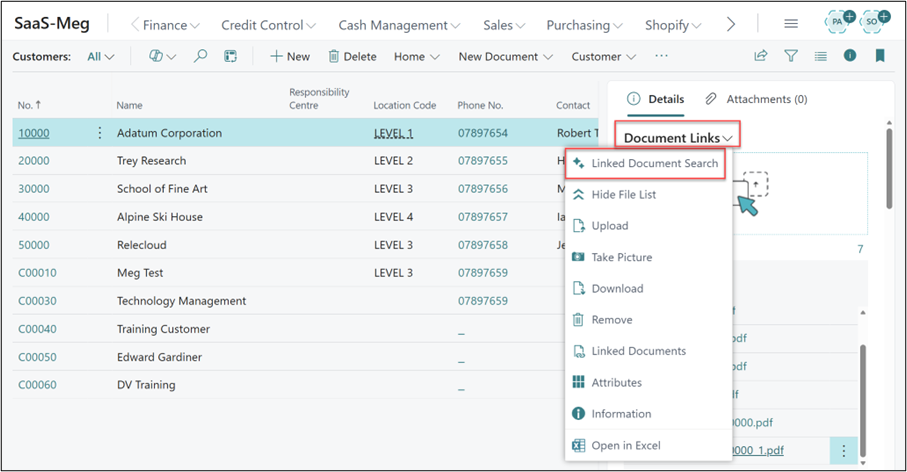
There are two ways of initiating the search - the first is to navigate to any FactBox that contains the Document Links functionality. Next, select the Document Links drop-down and choose the Linked Document Search option.
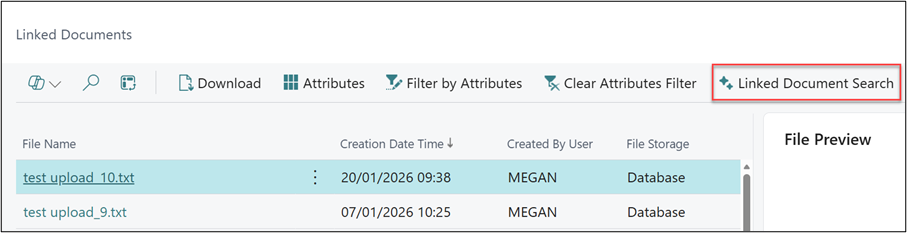
The second way to access the Linked Document Search is from the Linked Documents list, where the option can be found on the ribbon.
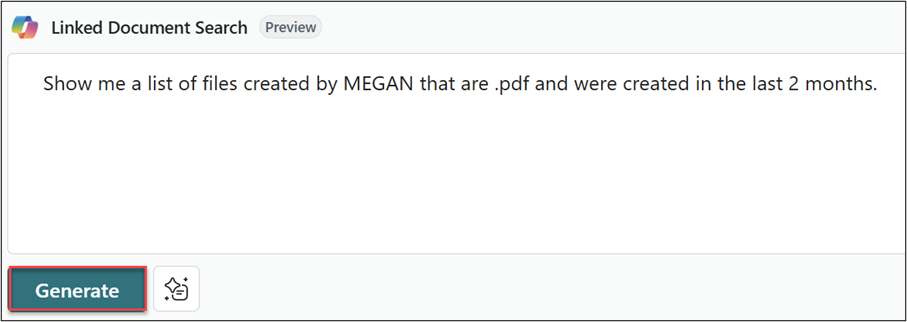
Next, enter your search criteria. You can search for a combination of any of the following criteria:
- Creation Date
- Created By User
- Where stored (File Storage)
- Document Attributes or Values
- File types
- Words from the File Name (i.e any files with the word Item in for example)
Here is an example where I have combined a search for the Created by User, the file type and the created by. Once the search criteria has been entered, simply select Generate.
With the search complete, we can now see a list of all documents that meet the criteria.
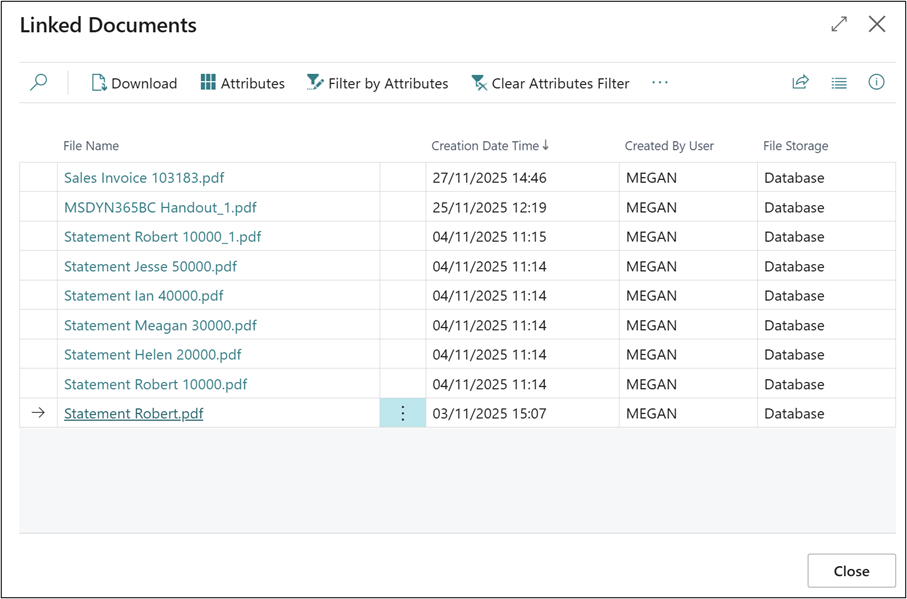
As you can see with the introduction of Copilot in Document Links from Clever Dynamics, it has become much easier to find your attached documents. Also, if you have the Clever Essentials package, you already have access to Clever Document Links! More information on the Clever products is available here.
Watch out for more tips like this on our Blog and if you have any questions for us, please get in touch
COMPILED ON